

Home › Modules › Packet Capture

Packet Capture
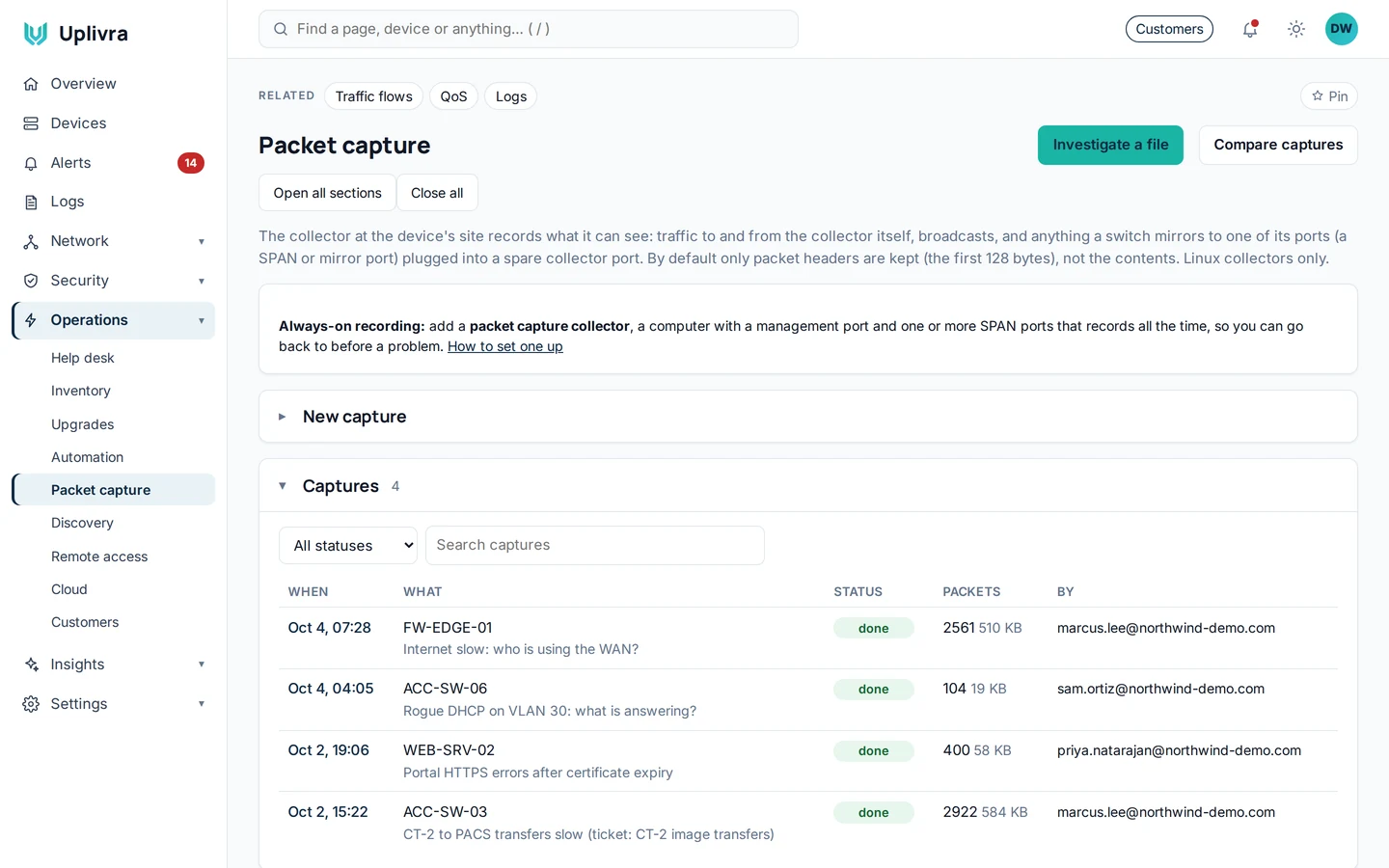
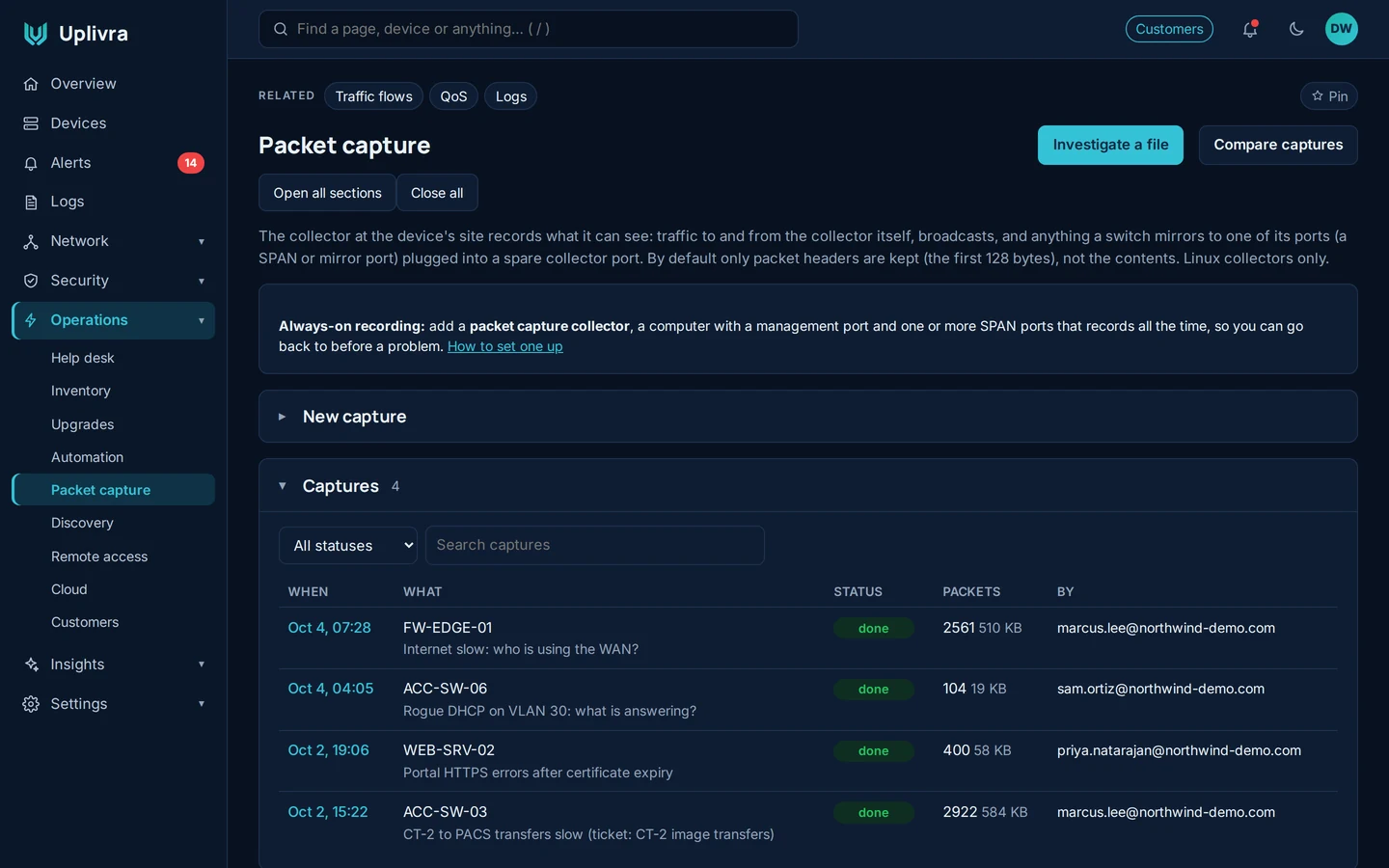
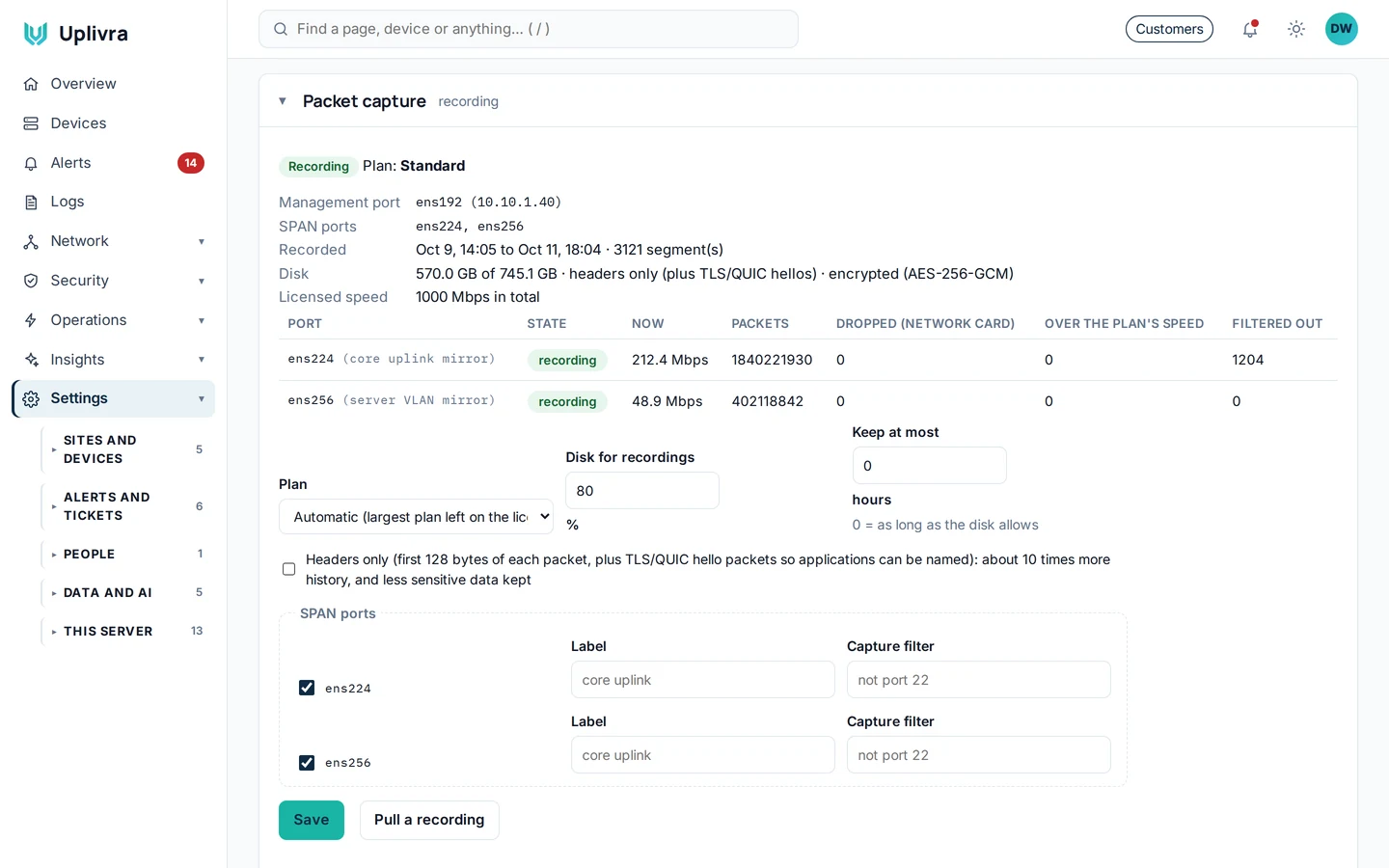
A packet capture collector records one or more switch SPAN ports around the clock. When an alert opens, Uplivra pulls the minutes before it automatically; any other time, pick a moment and pull it.
The problem with starting a capture
Most network problems are over before anyone can start a capture. A packet capture collector doesn't wait to be asked: it records what the switch mirrors to it all the time, in a rolling window on its own disk, so the packets from before the problem are still there.
How it works
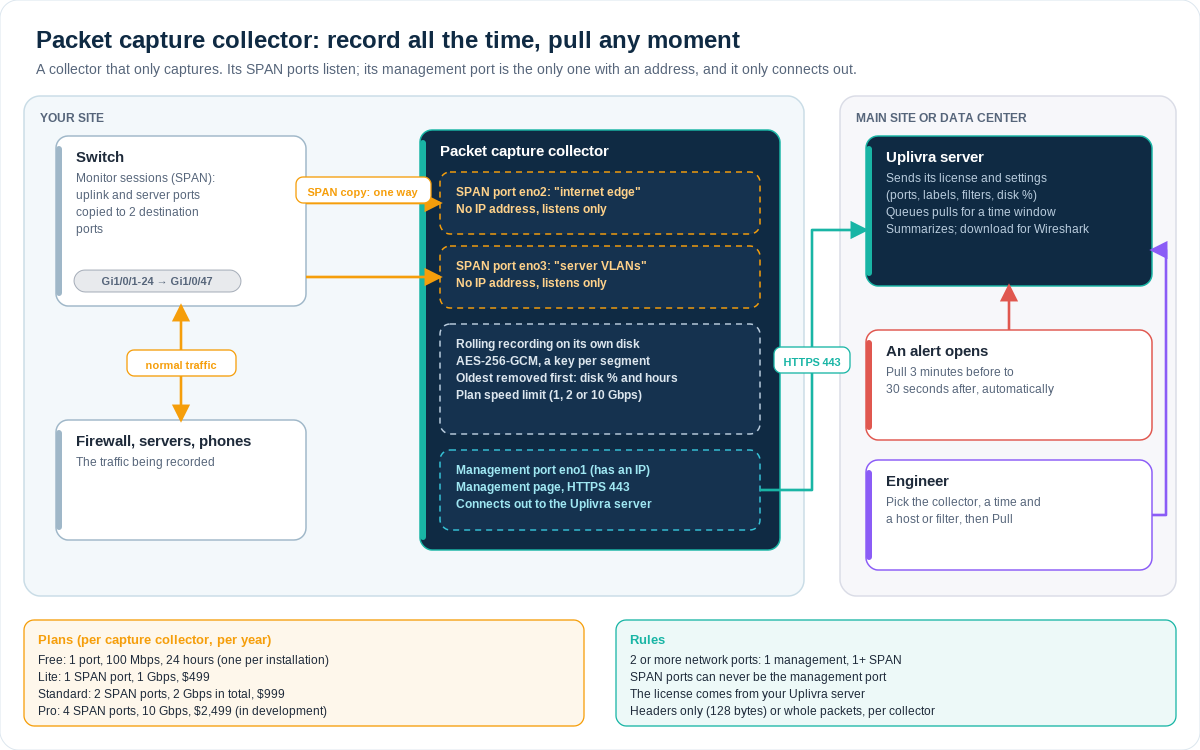
- A collector that only captures. It has one management port (with an address) and one or more SPAN ports (no address; they only listen). It runs no checks and receives no logs, so a traffic burst never slows your monitoring.
- Licensed by your Uplivra server. The collector gets its plan, ports, labels, filters and disk allowance from your server. Nothing is recorded until the server says the license covers it.
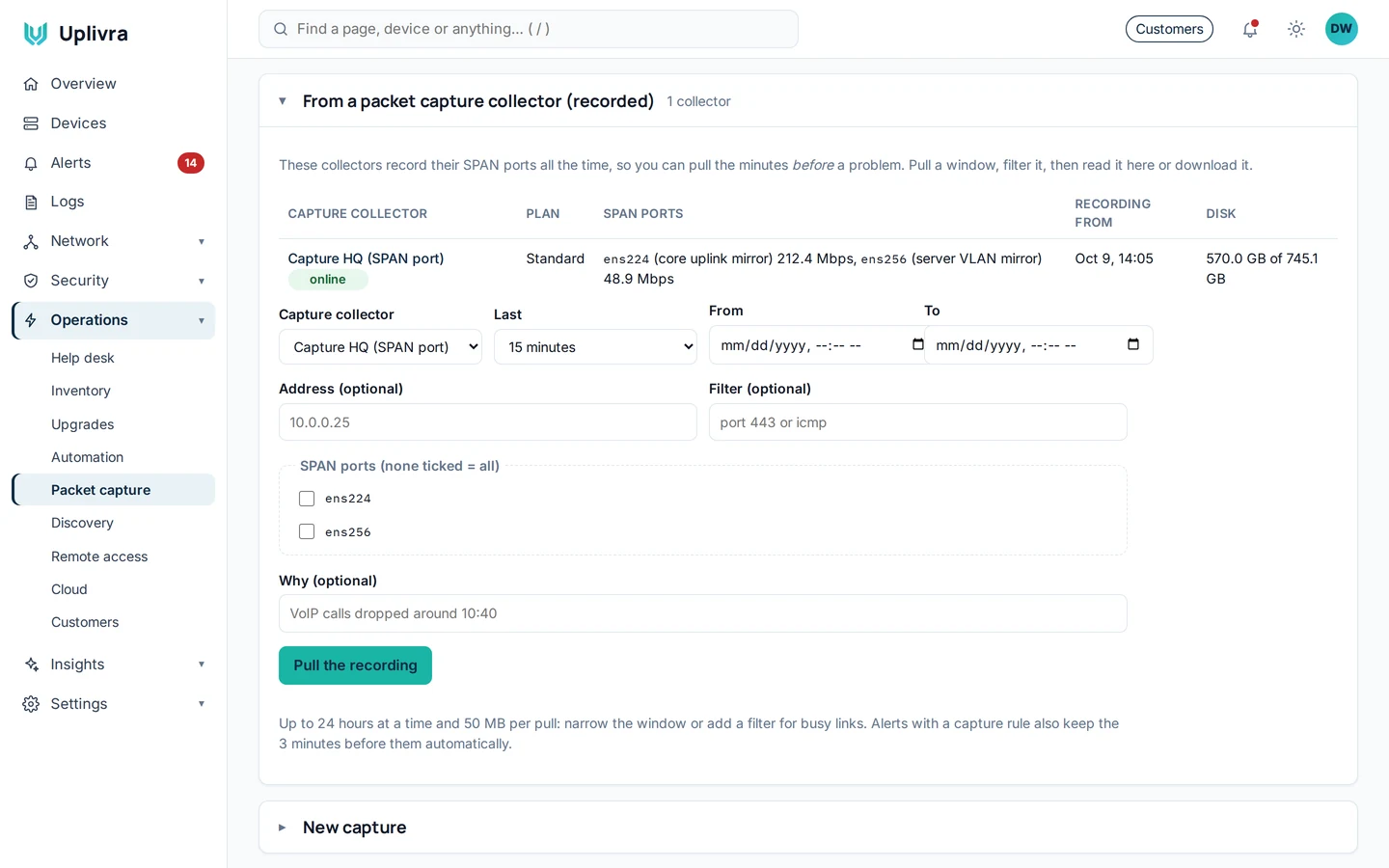
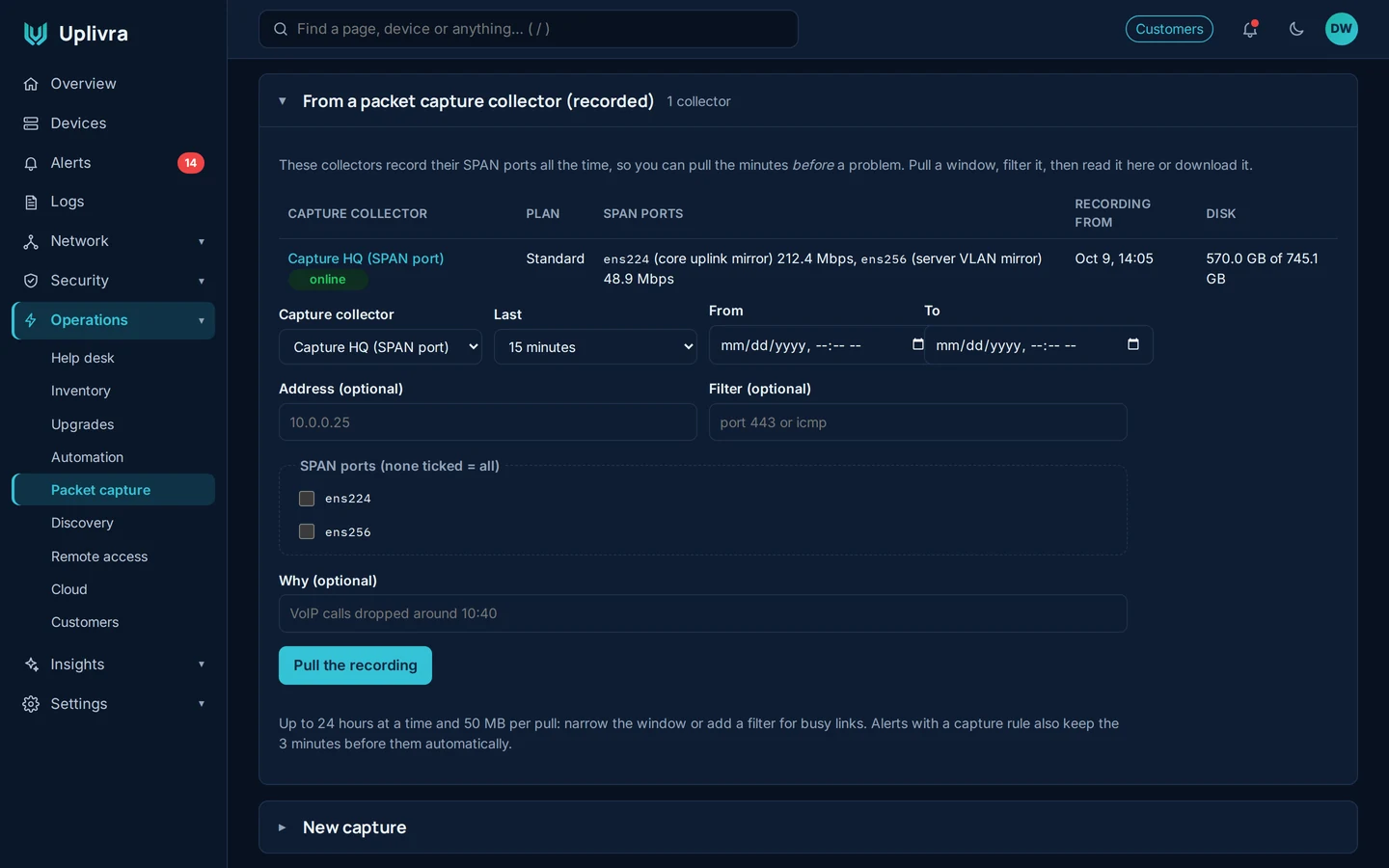
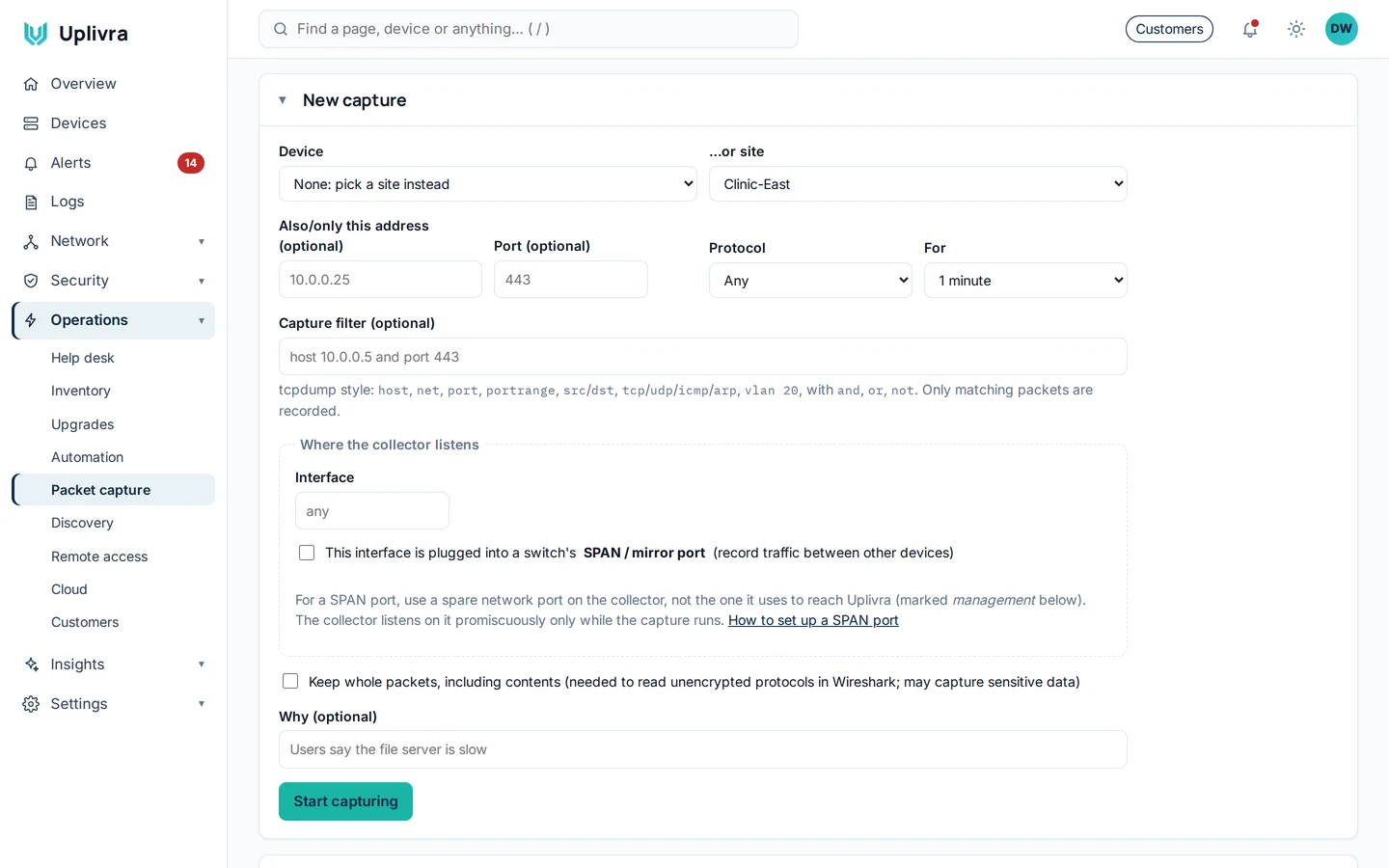
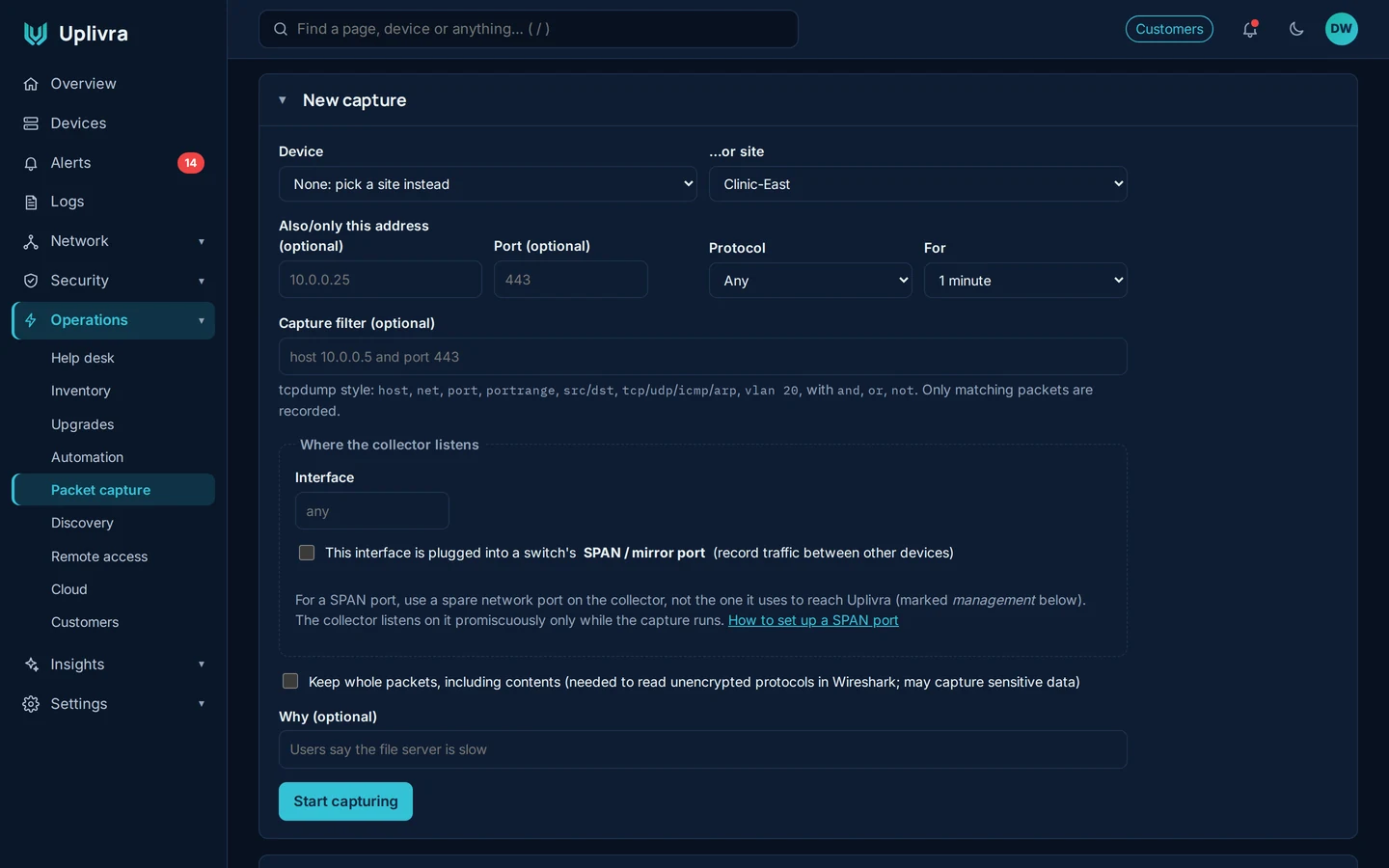
- Pick it as the source. On Packet captures, choose the capture collector, a time window, and optionally a host or a filter, then Pull. Uplivra fetches just those packets and summarizes them.
- Or let an alert pull it. Add an automatic capture rule for a device (or any device) and Uplivra pulls 3 minutes before to 30 seconds after the alert opened.
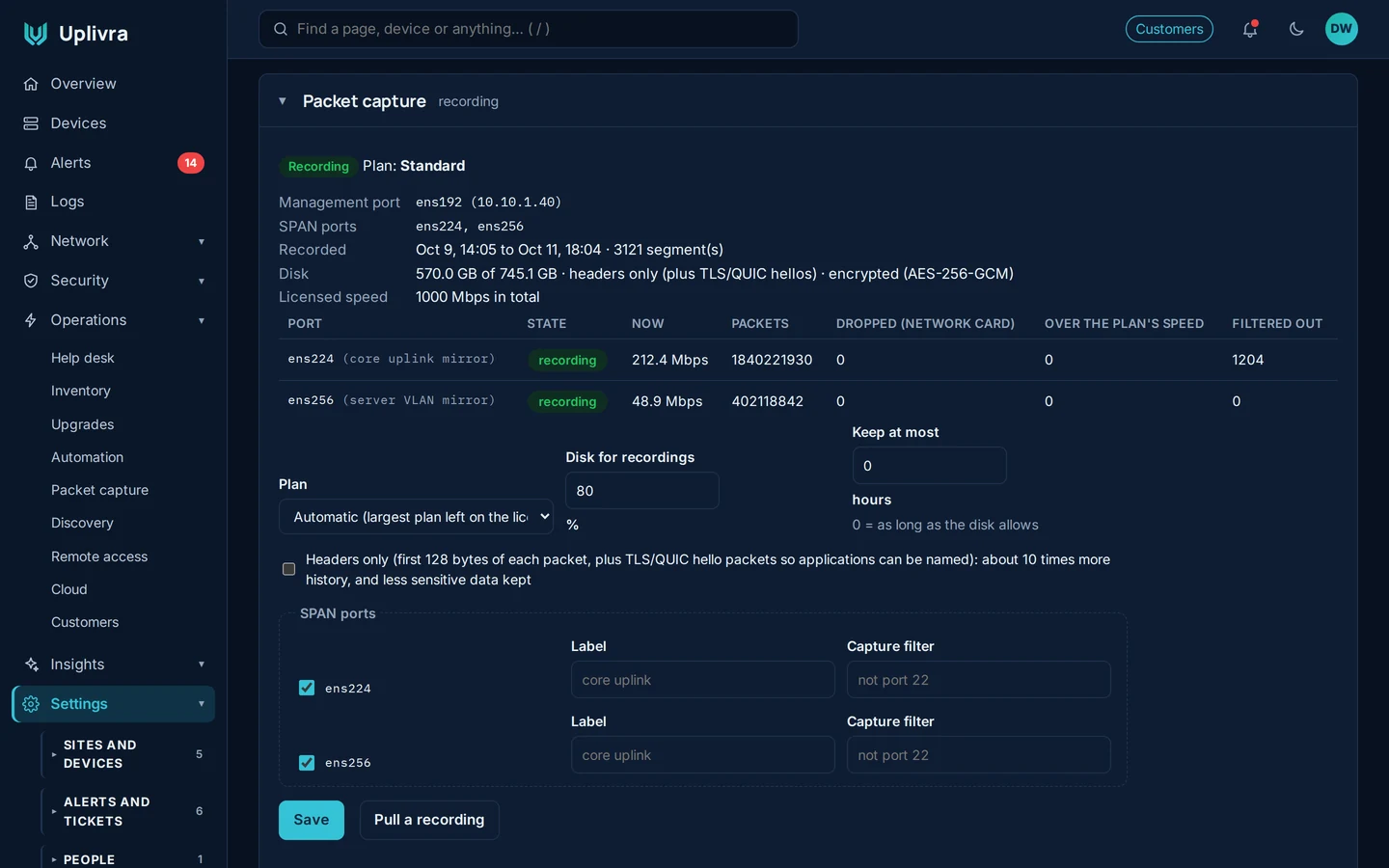
- Encrypted at rest. Recordings are written in segments with AES-256-GCM, a key per segment. Oldest segments go first when the disk allowance (80% by default) or the number of hours you choose is reached.
Understand it in the browser
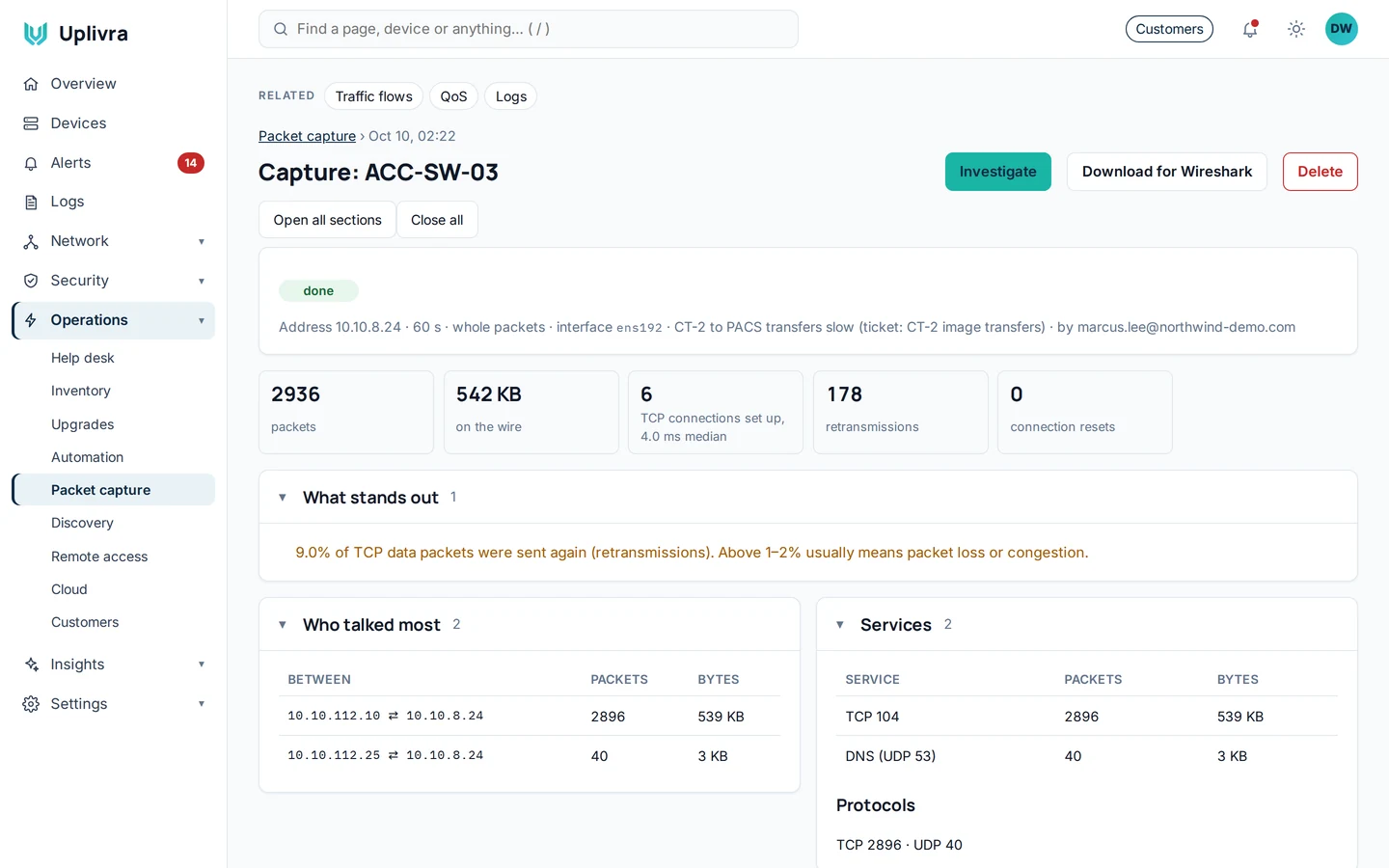
Each pull is summarized: what stands out (retransmissions, resets, errors), who talked most, the applications in use (Teams, Zoom, YouTube, remote-access tools and more, named from the encrypted connections' server names, QUIC, DNS and HTTP by Uplivra's own classifier), each client's JA4 fingerprint, and the DNS lookups made. Filter the packet list with Wireshark-style display filters, or download the file for Wireshark.
Investigate, don't just look
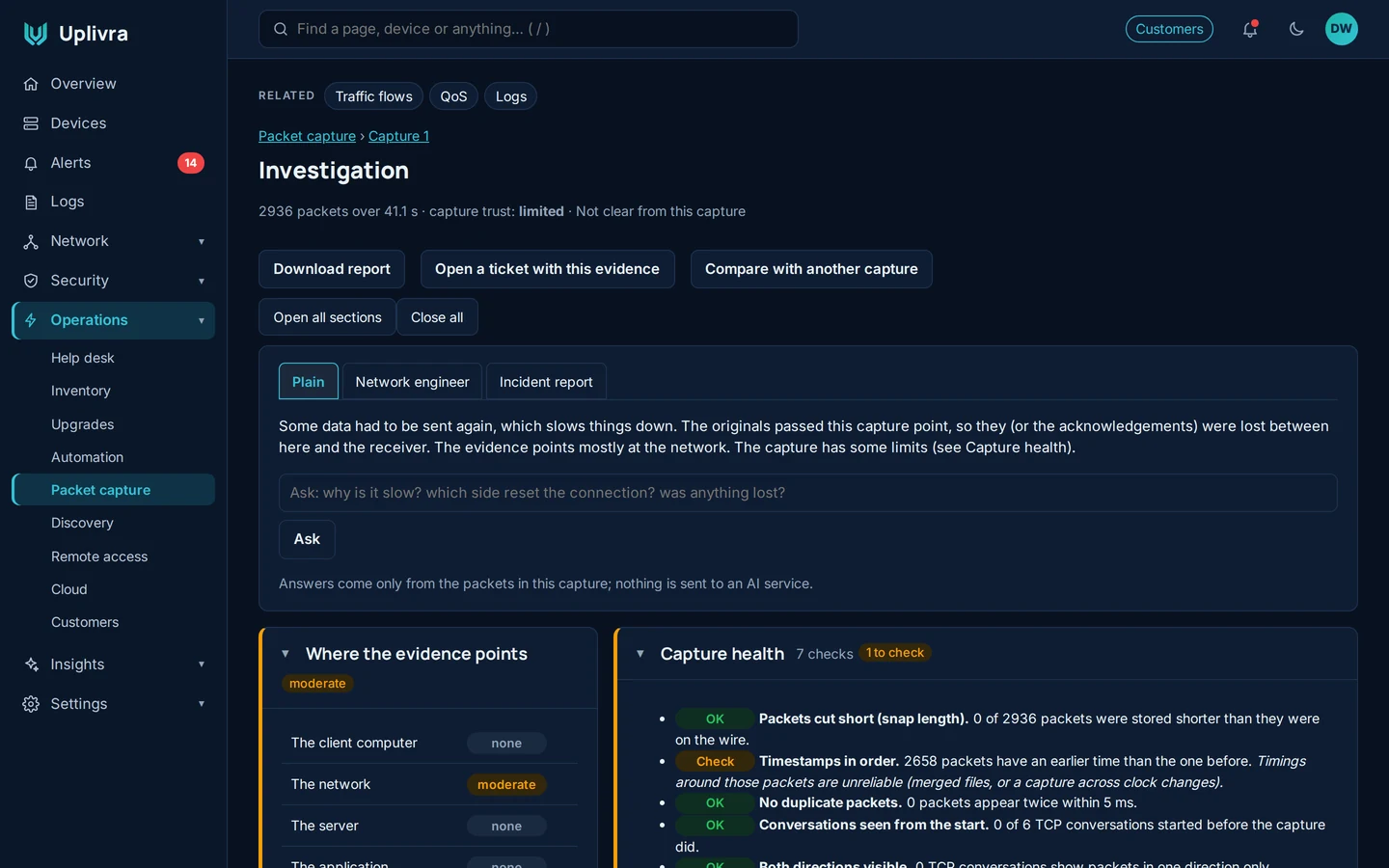
Upload any .pcap or .pcapng, or open a capture Uplivra recorded.
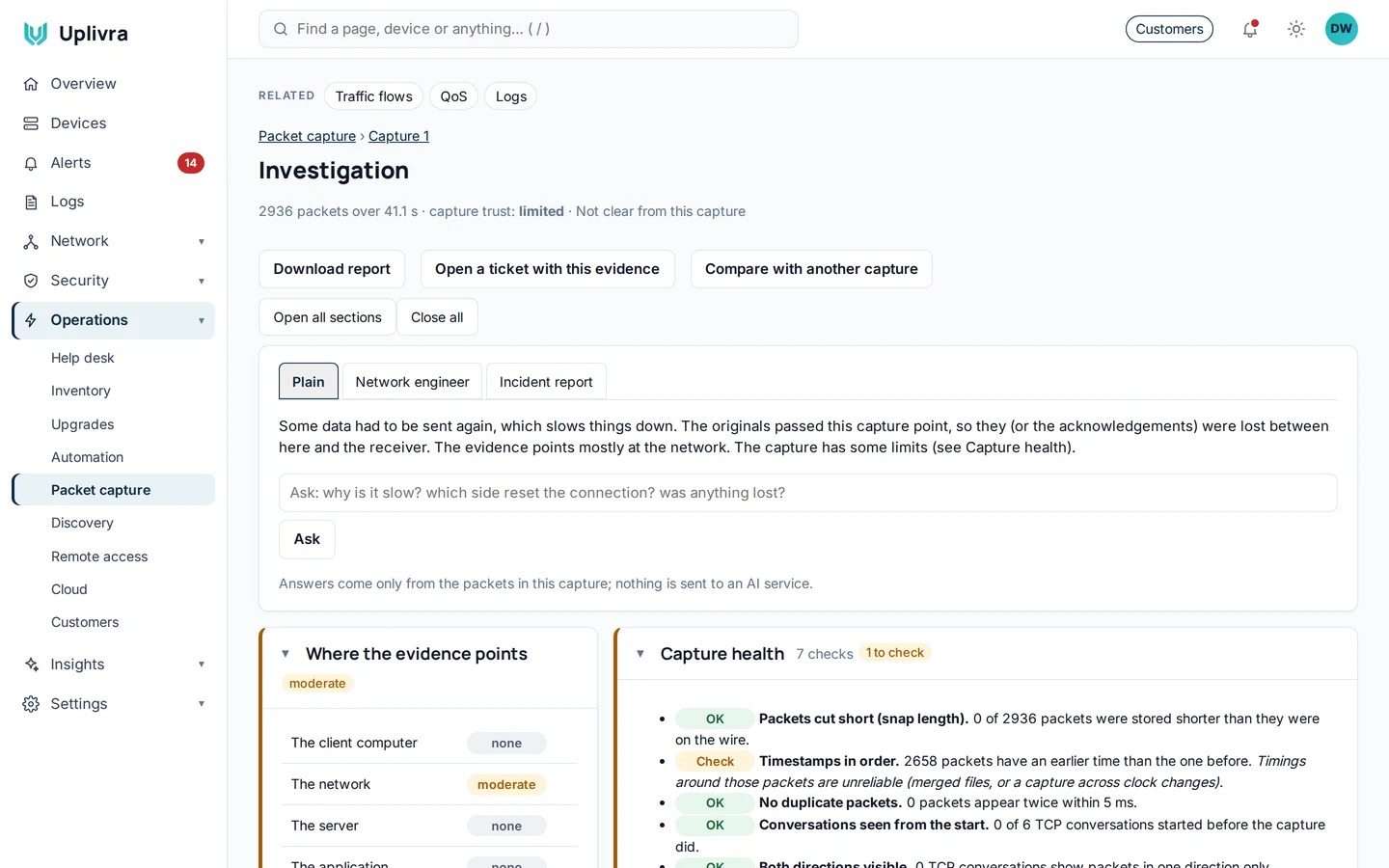
- Uplivra first checks whether the capture itself can be trusted: drops, duplicates, one-way traffic, cut-short packets.
- It then tells you what happened, keeping proven, inferred and unknown apart. Every finding links to its packets.
- It shows where the evidence points (client, network, server or application) and what to capture next when the answer isn't in this file.
You can also:
- compare a good capture with a bad one;
- line up captures from both sides of a firewall to see where packets disappear;
- ask plain questions;
- record your own review of each finding;
- download a report with full provenance.
Private by default
Choose headers only (the first 128 bytes of each packet: enough to diagnose, not enough to read content; the TLS and QUIC hellos that name the application are kept whole) or whole packets, per collector. Encrypted content is never decrypted. Every pull records who asked for it in the audit log.
Short captures without a capture collector
Any collector can still take a short on-demand capture (up to 10 minutes) from its own port or a spare SPAN port. That is part of Network Pro.
How much it captures, and what you need
Packet Capture is included with Network Pro at no extra charge — there's no per-collector fee. What a capture collector can record depends only on the computer you give it: its SPAN (mirror) ports, how fast it can write to disk, and how much disk it has for the rolling window.
| Capability | SPAN ports | Recording speed | What the collector needs |
|---|---|---|---|
| Built in | 1 | 100 Mbps, last 24 hours | any collector; one per installation |
| 1 Gbps | 1 | up to 1 Gbps | a gigabit SPAN port and an SSD |
| 2 Gbps | 2 | up to 2 Gbps in total | two gigabit SPAN ports (or one 10 GbE) and a fast SSD |
| 10 Gbps (in development) | 4 | up to 10 Gbps in total | 10 GbE SPAN ports and fast NVMe storage |
Traffic above the collector's recording speed isn't recorded (it shows how much it skipped), so match the collector to the mirrored traffic.
How long it keeps is a rolling window: the oldest segments go first when the disk allowance (80% by default) or the number of hours you set is reached. More disk - or fewer SPAN ports on one collector - means a longer window. Headers-only capture (the first 128 bytes of each packet) records far longer than whole packets on the same disk.
For a large amount, recording whole packets at 1-10 Gbps needs fast local storage sized for your window (bytes per second x seconds kept, so NVMe SSD at the high end) and a NIC that mirrors at line rate without dropping. Spread the load by running more than one capture collector, each on its own SPAN ports, rather than pushing one past its disk write speed. Set one up.
Other modules

Core monitoring
Availability, services, SNMP and websites, with alerts people act on
$1 per device per month after 15 free devices. No monthly minimum; 15% off when paid yearly
Network Pro
Ports, network map and traffic flows on every device
+$2 per device per month
Log Intelligence
Collect, search and keep every log, encrypted and tamper-evident
Included with Network Pro
Upgrade & Lifecycle
Firmware, end-of-life dates and upgrades with proof they worked
$2 per device per month
Compliance & Evidence
Controls tested every day, evidence ready for the audit
$5 per device per month
ITSM Integration
Changes, approvals and incidents in the ticketing system you already use
$1 per device per month (price under review)
Vulnerability Scanning
Know which boxes are exposed, and who owns the fix
$5 per device per month
Access Control
One place for every admin login, every command, and temporary access that ends by itself
$5 per network device per month
Native Service Desk
A help desk linked to your devices and alerts
$5 per help desk agent per month
DNS Security
Bad sites stopped before anyone connects, with a reason for every block
$1 per protected device per month (price under review)
Automation & Remediation
Runbooks for the routine fixes, with approval when you want it
$1 per device per month (price under review)
MSP multi-tenant
Every customer in one console, each one in charge of your access
$49 per month plus $5 per customer (price under review)
PCI CDE Monitoring
Monitoring built for the cardholder data environment
$4 per card-environment system per month, $49 minimum (price under review)