How Uplivra connects
Every traffic path, port and direction, for one site, many sites, logs, MSPs and router mode. Arrows point the way each connection is opened. Click a diagram to open it full size; all of them are in the download kits.
Exact ports for each kind of computer: Ports and firewall rules, or run uplivra ports on an installed computer.
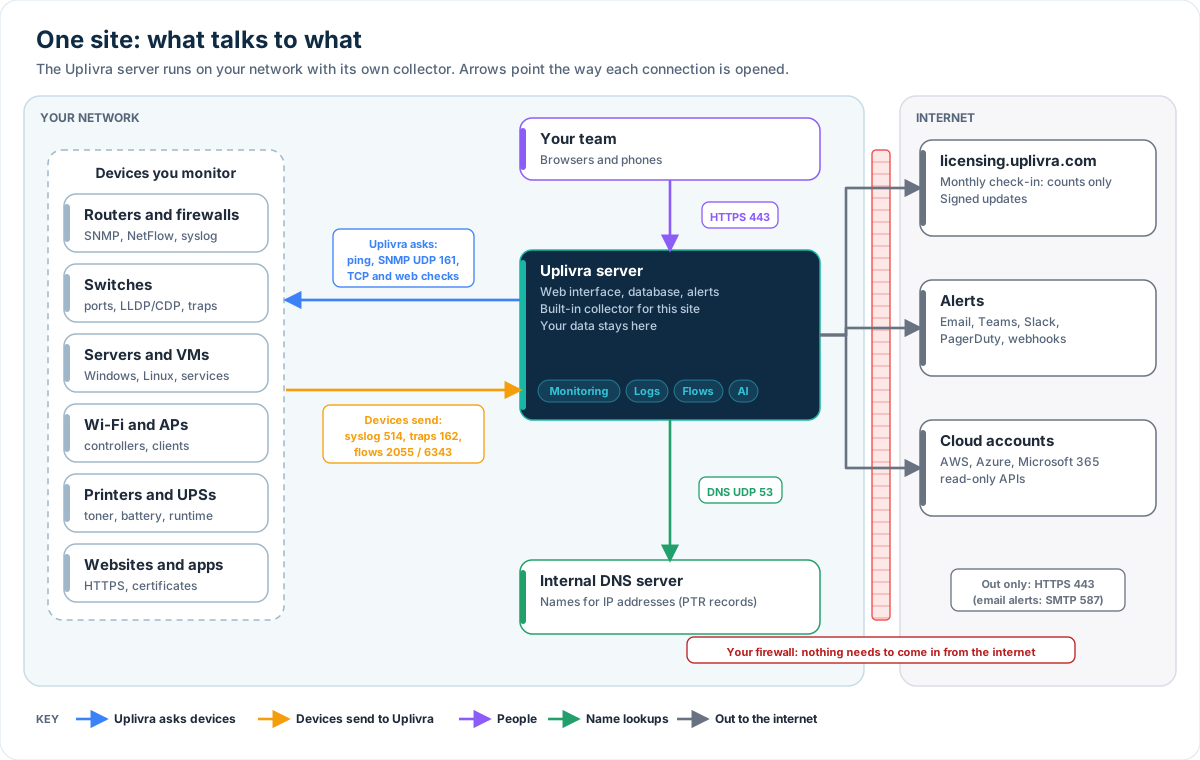
One site: what talks to what
The Uplivra server (with its built-in collector) on your network: what it asks devices, what devices send it, and the few connections it makes out to the internet. For: Customers, IT teams.
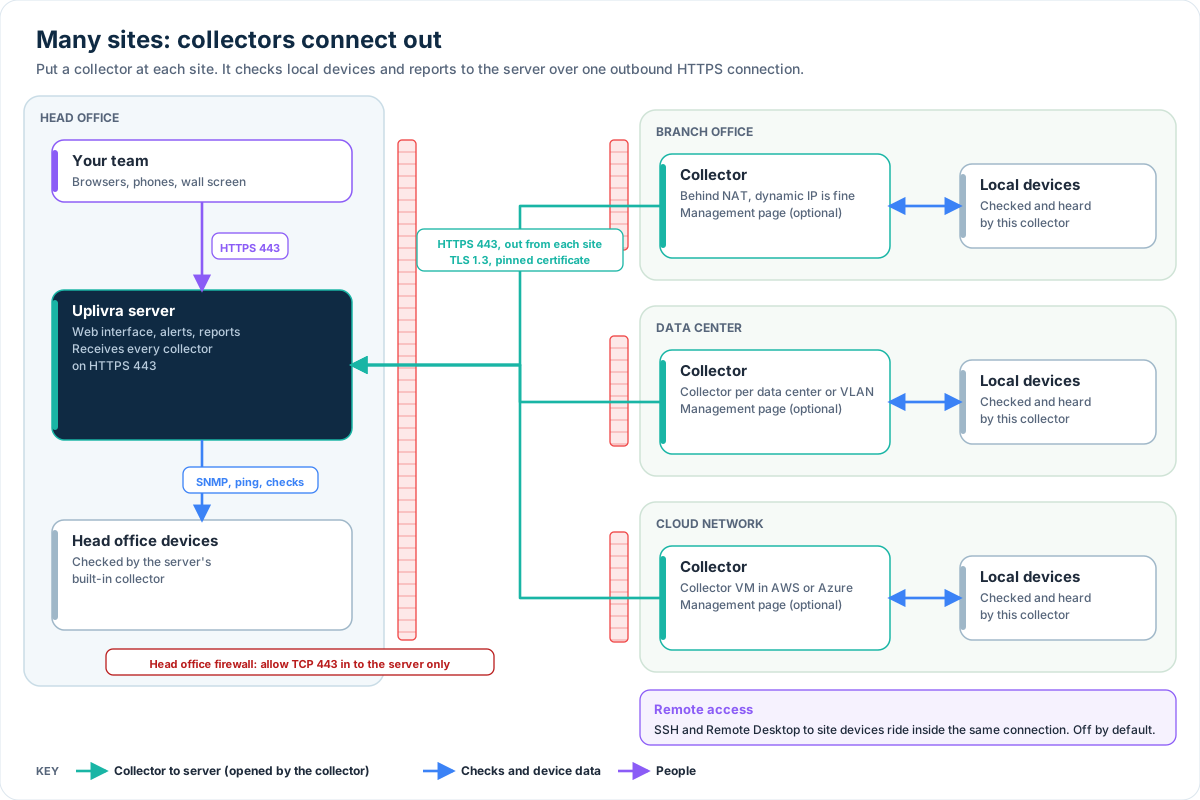
Many sites: collectors connect out
Collectors at branches, data centers and cloud networks connect out to the server on HTTPS 443. Nothing connects in to a branch. For: Customers, IT teams.
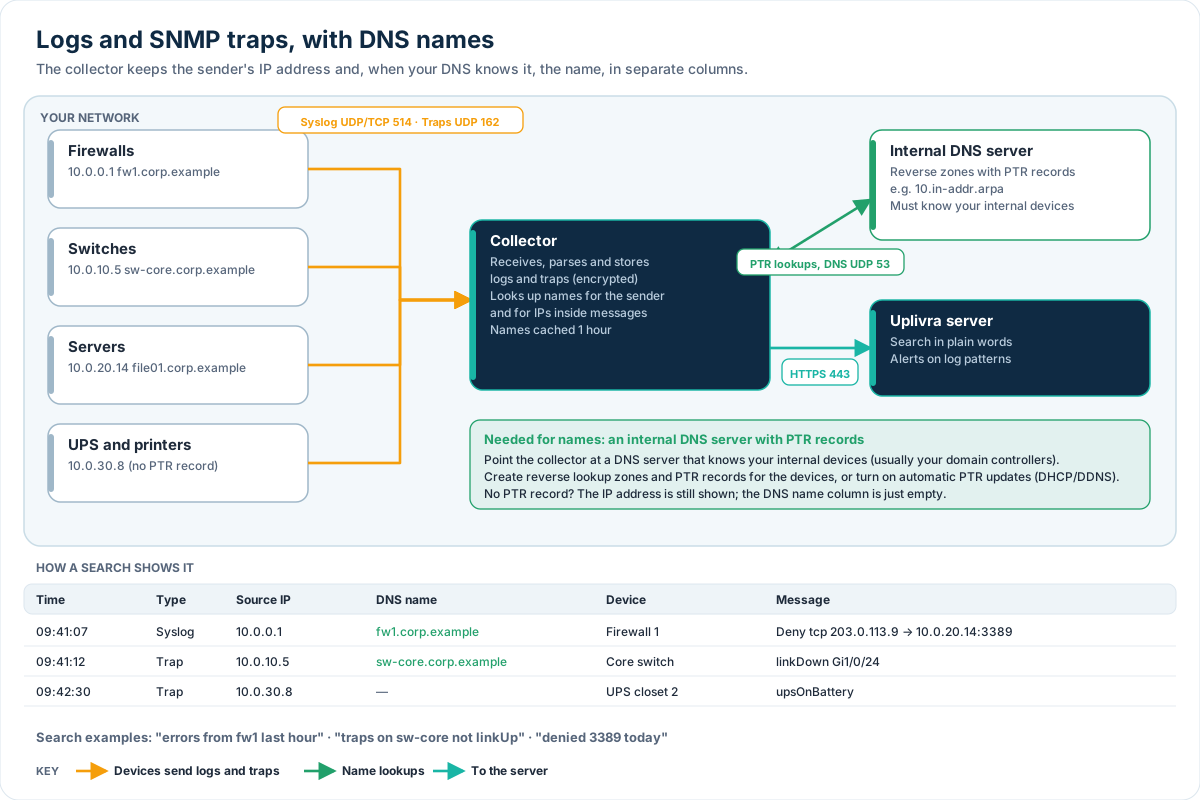
Logs and SNMP traps, with DNS names
Devices send syslog and traps to a collector, which looks up names in your internal DNS and keeps both the IP and the name. For: Customers, IT teams.
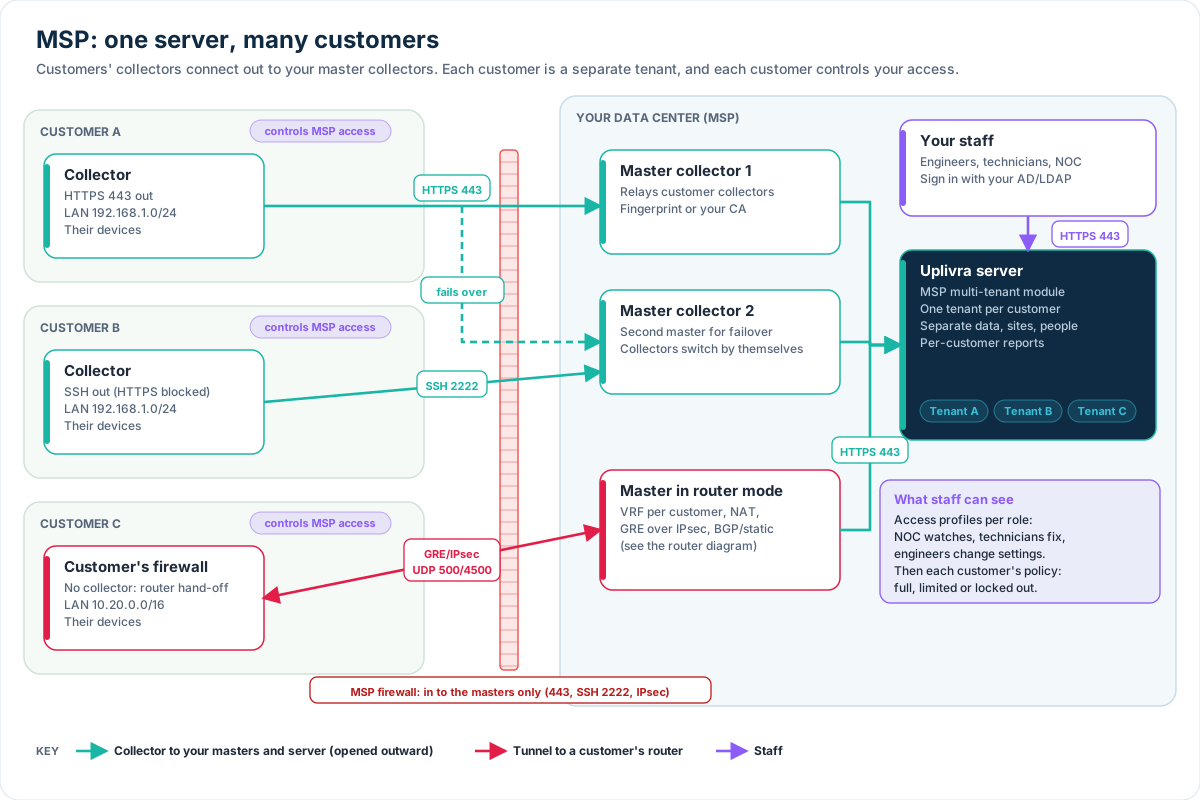
MSP: one server, many customers
A multi-tenant server and master collectors in the MSP's data center. Customers connect out; staff see only what their role and each customer allow. For: MSPs, resellers.
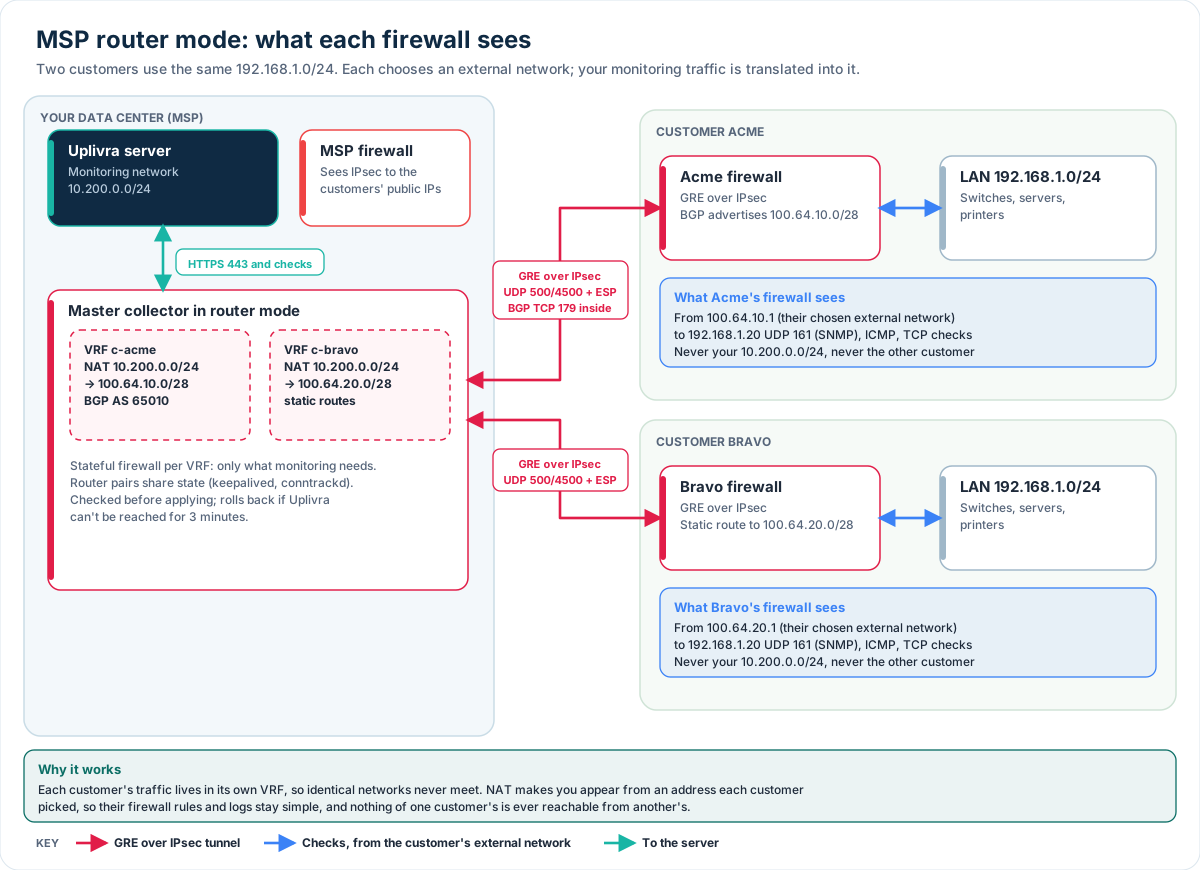
MSP router mode: what each firewall sees
Per-customer VRFs, GRE over IPsec, BGP or static routes, and NAT into an external network each customer chooses, so overlapping networks just work. For: MSPs, network engineers.
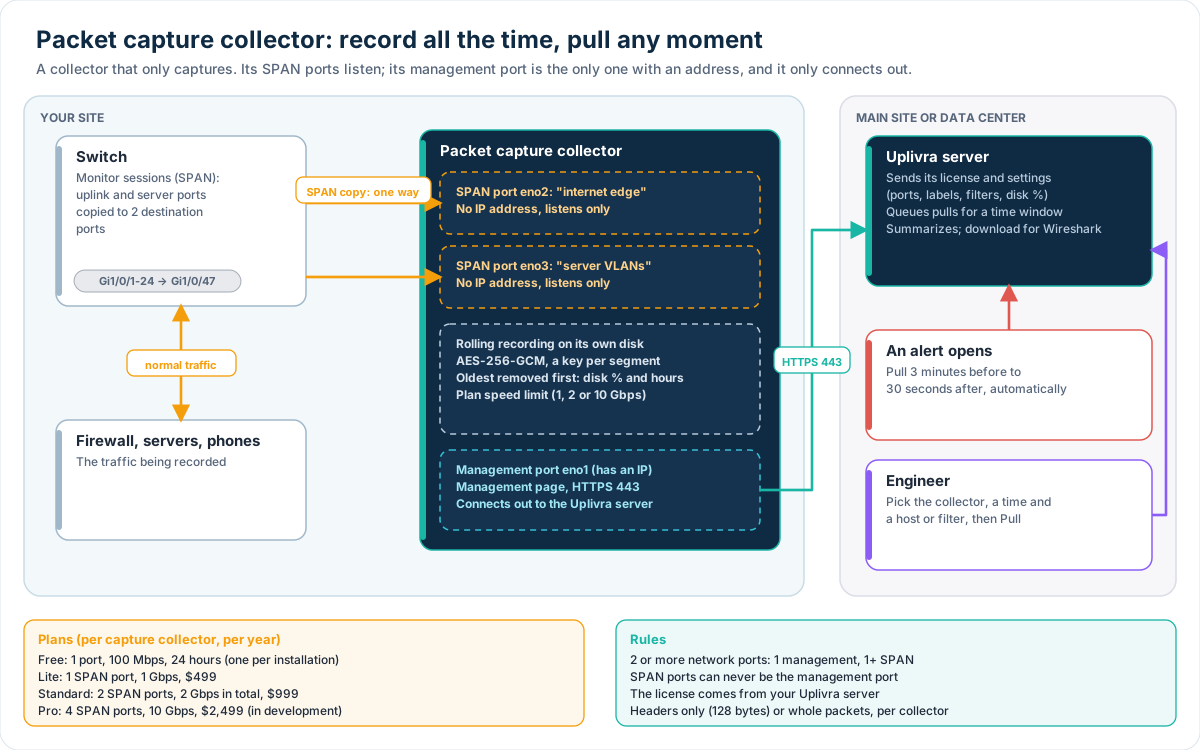
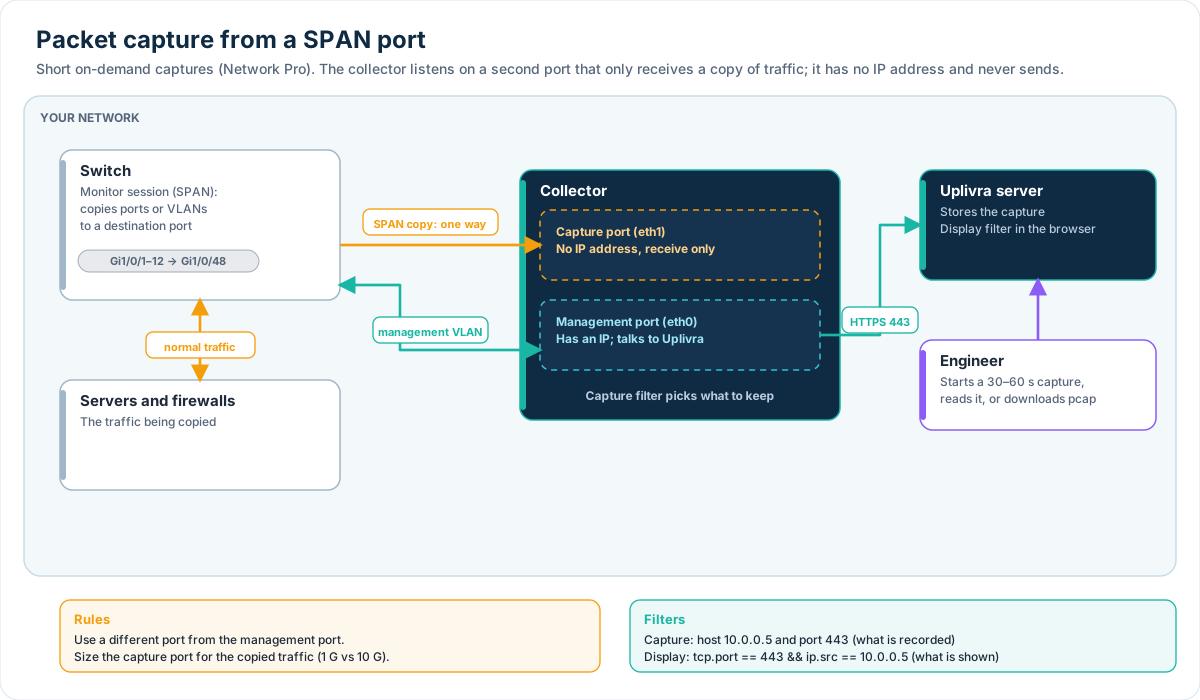
Packet capture from a SPAN port In development
A collector records mirrored traffic on a second network port with no address, separate from its management port, and uploads the capture over HTTPS. For: Network engineers.
Packet capture collector: record all the time, pull any moment
A dedicated collector records one or more SPAN ports around the clock into encrypted storage. Your Uplivra server licenses it, and pulls the minutes you ask for, or the minutes before an alert. For: Network engineers, MSPs.